Why Don't General AI Tools Alone Move Firms Forward?
Most small accounting firms have tried ChatGPT. They used it to draft an email, summarize an article or brainstorm a client explanation. It worked. Then they stopped.
Here's why: General AI tools are powerful but they're not a strategy. Using ChatGPT or Claude feels like a better Google search—quick, useful, then done. That's exploration, not adoption. Real adoption is different. It happens when a tool becomes part of how your firm works every day. When your team knows where to use it. When you measure whether it actually saved time. When you can repeat the process for the next workflow.
The gap between "we tried a prompt" and "we have a repeatable process" is not about picking better tools. It's about structure. Your firm needs to answer a few questions. Which workflows benefit most? Which tool fits each task? Who reviews the AI output? What gets logged? How do you know it worked?
Firms that answer these questions move from curiosity to real ROI. Firms that skip them spend time training tools that never get used.
What Is the AI Maturity Ladder for Small Accounting Firms?
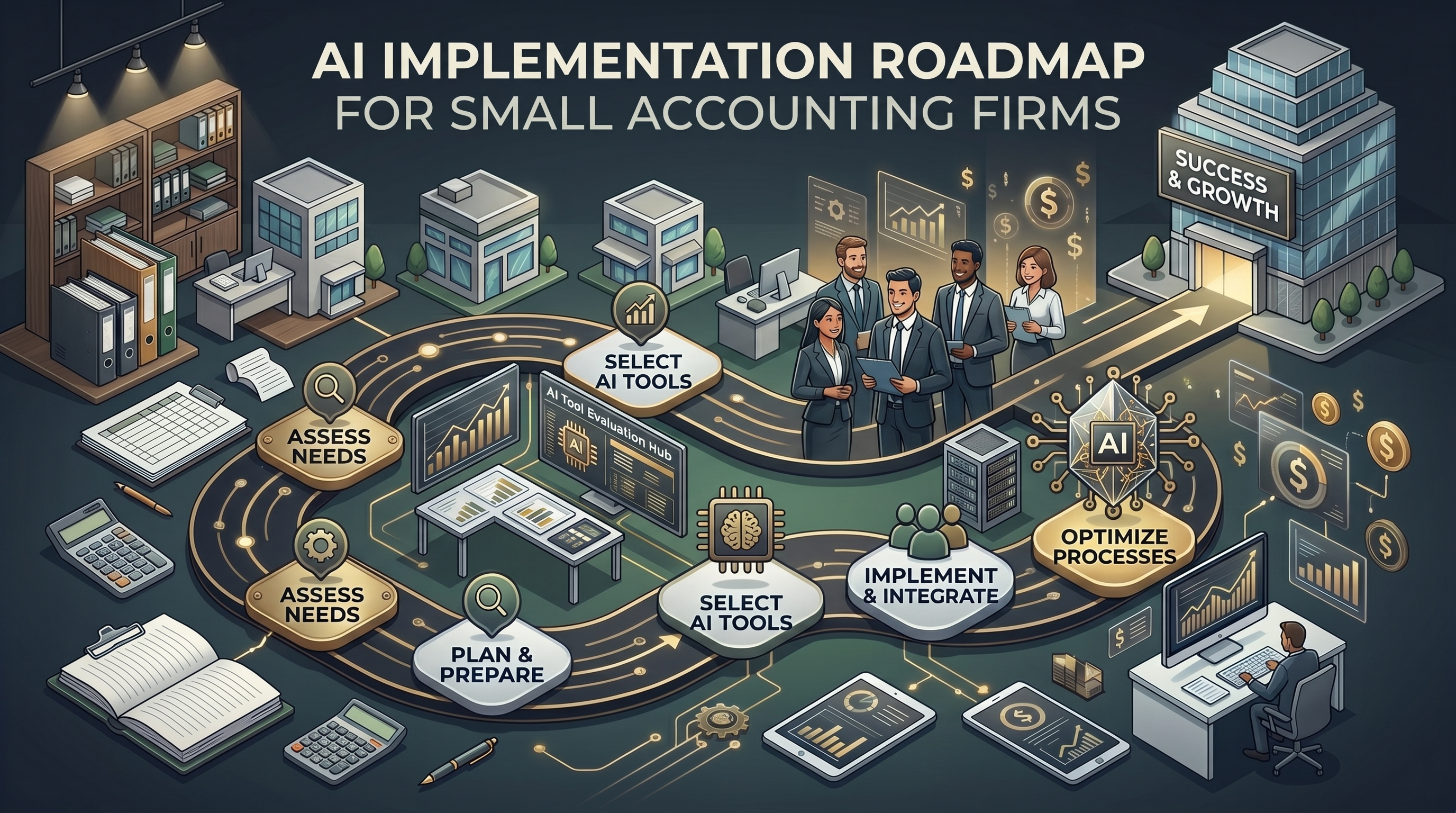
Think of AI adoption as a five-step progression. You don't skip steps. Each one builds on the last.
| Stage | What It Looks Like | Firm Size | ROI Timeline |
|---|---|---|---|
| 1. Explore | Try ChatGPT, Claude, Perplexity, Gemini. Write prompts. Learn what each tool can do. No firm-wide rules yet. | Any size | Immediate (learning only) |
| 2. Standardize | Pick two or three approved tools. Define one use case per tool. Write down the prompts your team will use. Start small. | 2–15 staff | 2–3 weeks |
| 3. Embed | AI becomes part of your standard workflow. Your team knows when to use it without asking. It saves time on recurring tasks. | 3–15 staff | 4–6 weeks |
| 4. Automate | AI is connected to documents, tasks and review steps. A client intake form triggers an AI summary. An invoice triggers categorization. You log what happened. | 6+ staff | 8–12 weeks |
| 5. Optimize | You measure ROI. You refine workflows. You reduce manual cleanup. AI becomes part of your operational metrics. | 6+ staff | 16+ weeks |
Most small firms get stuck at Stage 1 or 2. They try tools but don't standardize. Without standards, each team member uses AI differently. This creates confusion and no measurable gain. Moving to Stage 3 (Embed) requires one simple thing: a decision. Pick your first workflow and commit to using AI for it consistently.
What Should We Automate at Each Stage?
Here's how a fictional three-person firm—Smith Family CPA—moves through the maturity ladder with concrete tasks.
How Do Stages 1–2 Work With Client Communication?
Smith Family gets 20–30 client emails per week asking questions, requesting documents or clarifying deadlines. A partner spends 4–5 hours on these replies. This is their first workflow target.
Stage 1: They try ChatGPT. Sarah (a staff member) writes a prompt: "Draft a professional email explaining the difference between an LLC and an S-corp to a client who is starting a business." It works. They share it with the team.
Stage 2: The firm decides to standardize. They pick ChatGPT for client communication and Claude for reviewing long engagement letters. They write down five templates: "LLC vs S-corp," "Extension deadline reminder," "Document request follow-up," "Client onboarding welcome" and "Quarterly tax planning summary." Each template has a prompt. Any team member can use these templates. Estimated time saved: 3–4 hours per week.
How Do Stages 3–4 Work With Document Review and Intake?
After three weeks using email templates, Smith Family is ready to move to a new workflow. They decide to automate client intake summaries.
Stage 3 (Embed): When a new client submits an intake form, Sarah copies the intake data into Claude. Claude generates a summary of the client's tax situation, entity type and red flags. Sarah reviews it, adds notes and passes it to the partner. This takes 10 minutes instead of 30. The AI doesn't make the decision. Sarah and the partner still do. AI just accelerates the first pass.
Stage 4 (Automate): Six months later, Smith Family has a budget for basic integration. They use Zapier to connect their intake form to Claude. When a form is submitted, Zapier sends the data to Claude, which generates the summary and saves it to a Google Drive folder. Sarah gets a notification, reviews it and either approves or edits it. This removes the manual copy-paste step. Estimated savings: 40 minutes per new client onboarding.
What Does Stage 5 Look Like With Measurement and Refinement?
After six months, Smith Family reviews their metrics. Email templates saved 12 hours. Intake automation saved 8 hours. Partner approval is now the bottleneck. They shift Claude to draft initial tax planning summaries before client meetings. This saves the partner 2 hours per month. Real ROI: 22 hours per month. That's roughly equivalent to half a staff member's time on routine work. The partner now has time for client strategy instead of administrative drafting.
Nexairi Dispatch
Get the next AI move before it turns into a workflow problem.
Join the free newsletter for concise AI news, practical checklists, and the decisions practitioners need to make next.
Free. No spam. Unsubscribe anytime.
Which AI Tool Should We Use for Which Task?
Each tool has a different strength. The job you're trying to do—not the tool itself—determines which one to pick.
ChatGPT: Fast and broad. Good for ideation and quick drafting. Best for client emails, brainstorming or explaining concepts in plain language. Available as a free tier (limited) or ChatGPT Business ($30/month per user). Shares conversation history by default unless you opt into private mode.
Claude: Longer context window (200,000 tokens). Better for reviewing long documents like engagement letters, tax returns or client questionnaires. Strong at structured reasoning and reading comprehension. Available as Claude.ai or Claude API. Claude Team ($50/month per user) enables shared workspace and better privacy controls.
Perplexity: Built-in search and citations. Good for research tasks where you need current information and sources. Use when you're answering a client question about a 2026 tax law change or looking up a recent ruling.
Gemini: Integrates with Google Workspace. If your firm lives in Gmail, Sheets and Drive, Gemini can read documents directly and work within your existing tools. Less useful if you use Outlook or QuickBooks exclusively.
Specialized accounting tools: Botkeeper automates bookkeeping. Dext reads invoices and categorizes expenses. Basis extracts data from accounting documents. These tools are more expensive but handle specific accounting workflows (data entry, categorization, reconciliation) that general AI tools struggle with. Consider specialized tools after you've nailed Stages 1–3 with general AI.
How Do We Redesign Workflows So AI Actually Fits?
Here's the mistake: Firms try to bolt AI onto an existing process without changing the process itself.
Wrong approach: You ask ChatGPT to draft a client email the way you always have, just faster. The email still goes to a partner for approval. Nothing changes except speed. You save 5 minutes.
Right approach: You redesign the workflow so AI serves a purpose that solves friction. You have AI draft the email. The staff member reviews it for accuracy and tone. The email goes out without partner approval (unless it's complex). The partner's time is freed for higher-value work. You save 20 minutes per email and improve client response time.
The difference is small but profound. When you redesign workflows, you capture time savings across the firm. When you just add AI on top, you capture nothing.
Here's what a redesigned workflow looks like:
- Define the trigger: Client submits an intake form.
- Where does AI enter: AI reads the intake form and generates a summary of the client's situation.
- Who reviews: Staff member checks the summary for accuracy and completeness. Flags any red flags that need partner attention.
- What gets logged: The summary is saved to a shared folder with a timestamp and the staff member's initials.
- Next step: Partner receives a notification of the flagged items (not the entire summary) and decides on next actions.
Now the partner sees only what matters. The staff member does the first-pass review (high-value because they're learning). The client's data is documented. Everyone knows what happened. This is the workflow redesign step. Skipping it is why most firms don't see real ROI.
What Should Firms Avoid When Adopting AI?
Not all workflows are ready for AI. Some carry too much risk. Know the boundaries.
Don't paste sensitive client data into public AI tools. ChatGPT, Claude.ai and Perplexity are cloud-based services. Anything you type is seen by the service. If you paste a client's full tax return with a Social Security number, you're exposing that data. Use Claude Team or ChatGPT Business, which have better privacy controls and data retention policies. Even better: use locally deployed models or tools with signed data-processing agreements.
Don't automate high-liability tasks first. Tax advice, audit judgments and regulatory interpretation require expert judgment. AI can draft an explanation or summarize options, but a qualified person must make the final call. Automate drafting and summarization first. Automate decision-making last, if ever.
Don't use AI without a review checkpoint. Every AI output should be reviewed by a human before it leaves your firm. In accounting, the risk of hallucination is highest with tax rates, filing deadlines and regulatory thresholds. AI makes up details when it doesn't know them. Assume it will and verify everything before advising a client.
What Should You Do in Your First 30 Days?
You don't need a 90-day roadmap. You need a first week that works. Here's the plan.
Week 1 (Days 1–5): Pick one workflow. Identify the highest-friction, highest-time task your firm does repeatedly. For most small firms, it's client communication or document summarization. Choose one.
Week 1 (Days 5–7): Choose one tool. ChatGPT if you're starting simple. Claude if you handle long documents. Try both free versions if you're unsure. Pick one.
Week 2 (Days 8–14): Write three prompts. For your chosen workflow, write three concrete prompts you'll use. "Draft an email explaining [concept] to a client." "Summarize this tax return and flag red flags." "Create a checklist for client onboarding." Test each prompt. Refine them. Share with your team.
Week 3 (Days 15–21): Create one review rule. Decide who checks the AI output before it's used. What does a good output look like? What's a red flag? Write it down. This prevents the mistake of AI content leaking out unreviewed.
Week 4 (Days 22–30): Measure and document. How much time did you save? How many tasks used the workflow? What broke? What worked? Document the process so it scales. This is not optional. If you don't measure, you won't know whether AI actually helped. You won't know what to do next.
After 30 days, you'll have Stages 1–2 complete. You're ready to move to a second workflow or deepen the first one. The hardest part is over: you've proven AI can work in your firm and you have a repeatable process to copy.
Why Does This Matter Now?
Small accounting firms face mounting pressure: clients expect faster turnarounds and digital workflows, while larger firms and accounting software vendors move upmarket. AI adoption isn't optional anymore—it's survival.
The firms that move through this maturity ladder in the next six months will have a structural advantage. They'll keep the work they have and make room for the work that pays better. The firms that don't will eventually feel the squeeze.
What Should You Check Next?
Pick your first workflow this week and start experimenting. Don't wait for a perfect plan.
Ask your team which task wastes the most time. Ask your partner which client requests feel repetitive. The answer is usually obvious. Start there.
After your first 30 days, revisit this roadmap. You'll know whether AI is a fit for your firm. You'll know which tools work for you. You'll have a documented process to scale. That's not curiosity. That's adoption.
Sources
- Jetpack Workflow: AI for Accounting Firms: How Automation Is Transforming Workflows and Efficiency
- Wolters Kluwer: Agentic AI and the future-ready accounting firm
- Florida Institute of CPAs: The impact of AI in accounting
- ACO Bloom: 5 Workflow Bottlenecks CPA Firms Can Eliminate with Automation
- Thomson Reuters Tax: How are different accounting firms using AI in 2025?
- GetUku: 30 ChatGPT and Claude Prompts for CPAs, Accountants and Bookkeepers
Related Articles on Nexairi
Free Assessment
Is your firm ready for AI?
A 5-minute governance check for CPA firms using ChatGPT, Copilot or AI accounting software. Get your score and your top gaps — free.
Editor in chief at NEXAIRI, guiding reporting and long-form features. Previously led editorial teams at regional publications across the Southeast.


